Need help? Confused about what to buy? Call (866) 408-1383
Cart Total $0.00 Shopping Cart Icon View Cart

MacSpeech with TalkPro Xpress USB Dictate On Sale!

Image

MacSpeech with TalkPro Xpress USB Dictate Ratings and Reviews

Add Your Review


Low High


Will not be shown in reviews.

Will not be shown in reviews.
Our price: $249.00 each

Regular price: $249.00

You save $!

Quantity:

Item Number: MS60DICT02

Be the first to rate this product!

MacSpeech Dictate understands 13 English dialect variations and provides amazing speech recognition accuracy. It easily works with the applications you already have, including Apple apps like Mail, iChat, iPhoto, and more. MacSpeech Dictate even controls your Mac; just speak a command and MacSpeech Dictate executes it for you. MacSpeech Dictate requires only a few minutes of training and is as fun, productive, and intuitive to use as the Mac itself. Built for the Intel-based Mac.

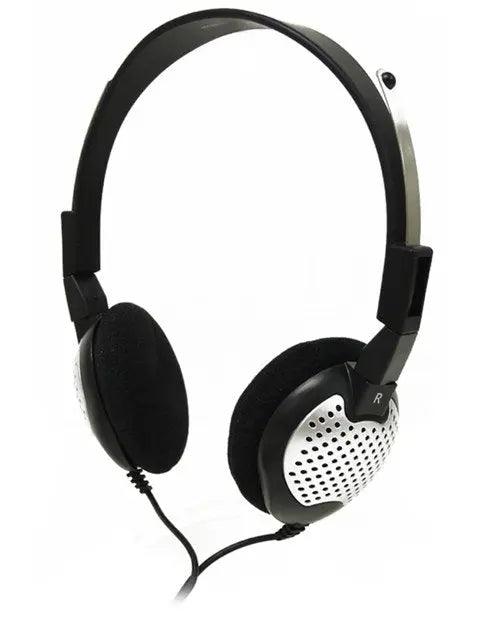
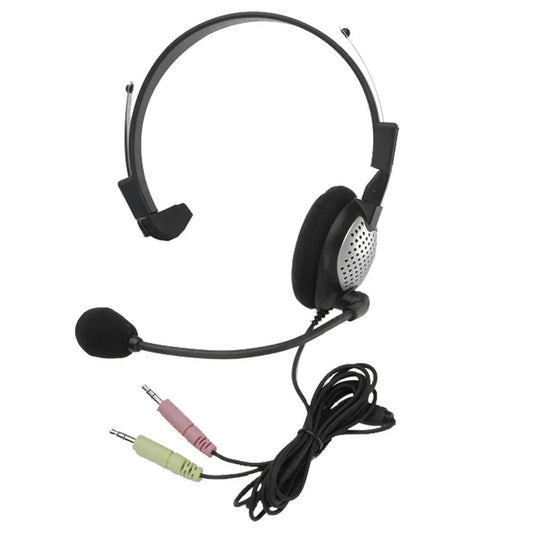
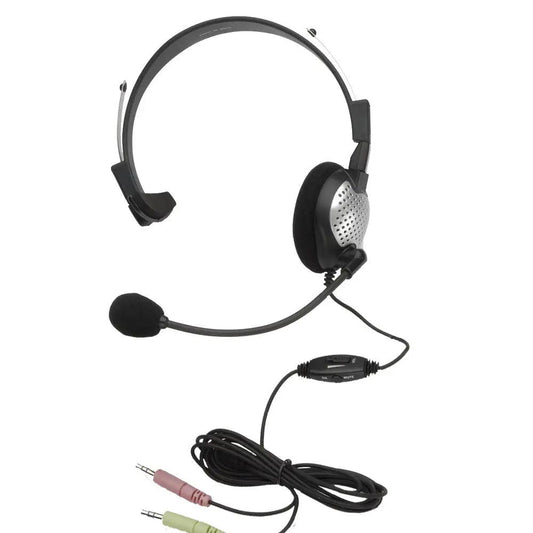
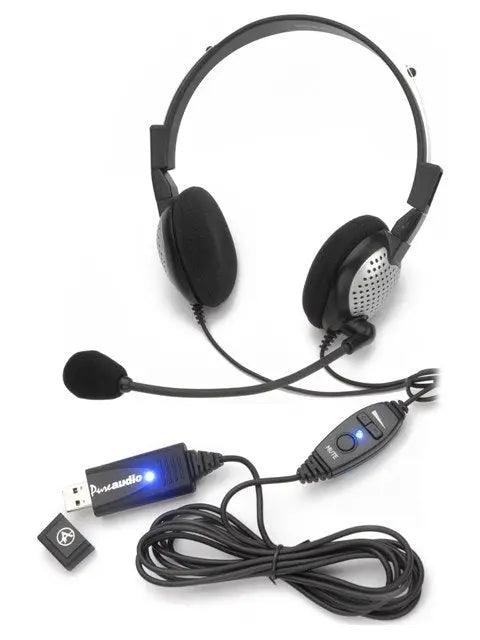
Includes the TalkPro Xpress USB headset,

a much superior headset than the one normally included with Dictate.

Note: Manufacturer will not allow returns of opened software unless found defective.

Easy to install, train and use

MacSpeech Dictate provides an astounding accuracy rate of up to 99% - near perfection. Of course, you can continue to increase accuracy as you use MacSpeech Dictate. Moreover, MacSpeech Dictate NEVER misspells a word. With MacSpeech Dictate, typos are a thing of the past.

Instead of using your mouse to select menu commands or your keyboard to type shortcuts, just speak a command. MacSpeech Dictate executes it for you. What's more, MacSpeech Dictate understands key commands. With the Press The Key and Press The Key Combo commands, you can enter specific keys and even keyboard modifiers like Command, Option, Shift, and Control. That makes you more productive and MacSpeech Dictate more intuitive.

You don't need a keyboard or mouse to move around in your documents. MacSpeech Dictate lets you move your cursor forwards, backwards, and much more with just your voice. It helps make editing your documents a breeze.

MacSpeech Dictate works seamlessly with apps like Adobe Photoshop, QuarkXPress, Adobe InDesign, BBEdit, and many more. MacSpeech Dictate also works great with Apple's applications as well, including iChat, Mail, iPhoto, and Keynote, among others. Plus, MacSpeech Dictate is optimized for performance with two of the cornerstone applications for the Mac, Microsoft Word and Apple's TextEdit. And more speed in these critical apps means a more natural, intuitive experience and increased productivity for you.

Mac users expect only the best from the applications they use on their Macs. MacSpeech Dictate was built from the ground up to ensure the ultimate experience on Mac OS X.

MacSpeech Dictate provides astounding accuracy and productivity. With just minutes of training, you'll be using MacSpeech Dictate's superior capabilities.

MacSpeech Dictate boasts robust Phrase Training capabilities allowing it to learn as it goes based on your voice input. That means even greater accuracy that more fully integrates into your Macintosh experience. MacSpeech Dictate also recognizes 13 distinct English dialect variations, providing exceptionally strong recognition, and its Vocabulary Editor lets you train individual words and even add new ones such as proper nouns, giving even more control over how it recognizes your speech.

MacSpeech Dictate's spelling mode lets you easily spell words, names, and acronyms with either natural language or the International Radio Alphabet. You have complete control over every aspect of your speech recognition input.

MacSpeech Dictate works great with most text documents, even those it didn't create. MacSpeech Dictate can read a document's contents, or a portion of it, that you can then navigate and edit.

For those times when you need a little assistance, MacSpeech Dictate boasts a complete online, searchable help book. It's convenient to use, easy to understand, and all just a mouse click away.

MacSpeech Dictate includes everything you need to be instantly productive as soon as you start using it, including a high quality headset microphone.

System Requirements
Intel-based Mac:  Mac OS X 10.4.11 or greater ("Tiger"). Max OS X 10.5.1 or greater ("Leopard"). 2GB of free hard drive space. Internet connection required for product registration. A MacSpeech-certified USB noise-canceling microphone is strongly recommended.

MacSpeech Dictate CD

TalkPro XPress USB Headset/Microphone

Information presented herein is provided by outside sources, such as manufacturers and distributors, and its accuracy is not guaranteed.
Prices, specifications, and features are subject to change without prior notice.
"American Dictation," the American Dictation logo, "Try-It-F1rst," "NovusGear," the NovusGear logo, "NovuScript," and the NovuScript logo
are trademarks of American Dictation Corp.
All other trademarks are the property of their respective owners.

©2009 American Dictation Corp. All Rights Reserved.
All content, images, and code are the property of American Dictation and may not be used without express permission.

Powered by Novusweb, the Art & Science of E-commerce